
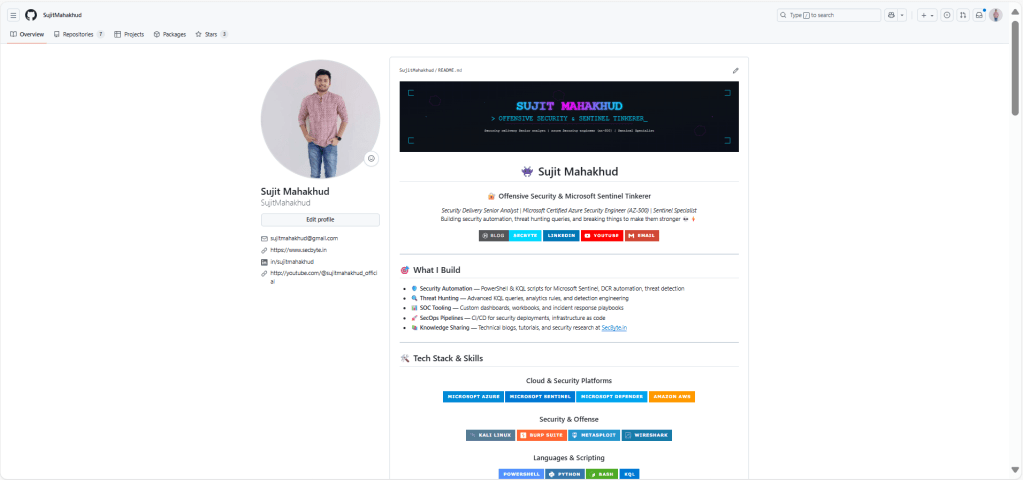
GitHub profile: https://github.com/SujitMahakhud
📘 Table of Contents
- Introduction
- What You’ll Need
- Understanding the Problem
- Understanding the Solution
- Step-by-Step Implementation
- System Prompts You’ll Use
- Real-World Example
- Troubleshooting
- Ongoing Maintenance
- Conclusion
🧠 Introduction
Imagine you run a blog on your website and want to back it up to GitHub or sync it to another platform. Doing this manually means copying each blog post, checking for completeness, and making sure nothing is missing.
For 15 blog posts, this could take hours. For 100 posts? Days.
This guide shows you how I used Perplexity AI’s Comet agent — an AI that can browse the web, compare content, and make changes automatically — to:
- Sync 15 blog posts from secbyte.in to GitHub
- Validate every detail (text, code, images, videos)
- Fix incomplete content automatically
- Achieve 100% accuracy
💡 No coding knowledge required. Just follow this guide step by step.
🧰 What You’ll Need
Essential Tools:
- Perplexity AI Pro Account – required to access Comet (AI agent with browser capabilities)
- GitHub Account – where your synced content will live
- Source Website – your blog site (e.g., secbyte.in)
- GitHub Repository – create one for your blog content if not already done
Nice to Have:
- Basic understanding of Markdown (optional)
- Familiarity with GitHub (helpful, not essential)
Time Commitment:
- Initial setup: 15–30 minutes
- First sync: 2–4 hours (for ~15 posts)
- Ongoing sync checks: 10–15 minutes weekly
⚠️ Understanding the Problem
The Manual Way (Why It’s Painful)
Let’s say you have 15 articles on your website and want to sync them to GitHub. Manually, you would:
- Open each blog post
- Copy all text and code blocks
- Download images, note videos
- Create new files on GitHub
- Paste content, reformat, double-check
⏱ Time per post: 20–40 minutes
⏱ Total time for 15 posts: 5–10 hours
⚠️ Error rate: High (easy to miss sections or code blocks)
My Actual Experience
- Blog #1: Took 35 mins, missed a section
- Blog #2: Took 40 mins, code block incomplete
- Blog #3: Took 30 mins, forgot to embed video
That’s when I realized — there had to be a better way.
🤖 Understanding the Solution
What is Comet (Perplexity AI’s Agent)?
Comet is an intelligent AI agent that can:
- Browse websites like a human
- Read content from multiple pages
- Compare differences between platforms
- Modify GitHub repositories
- Follow multi-step instructions and workflows
Think of Comet as a tireless assistant who never misses details.
How This Solution Works
Instead of copying content manually, I instructed Comet to:
“Go to my website, get all blog posts, compare them with GitHub, and sync any missing or incomplete content.”
Comet then:
- Lists all website posts
- Checks each one against GitHub
- Identifies missing/incomplete content
- Fixes discrepancies automatically
💥 Result: A 10-hour manual job completed in 1–2 hours with higher accuracy.
🧩 Step-by-Step Implementation
Phase 1: Initial Setup
- Access Perplexity AI Pro
- Visit perplexity.ai
- Log into your Pro account
- Go to “Spaces” or “Agent” section
- Create a New Space
- Click “New Space” → Name it Blog Sync – [Your Website]
- Keeps your project isolated and easy to track
- Prepare Information
- Website URL:
https://secbyte.in - GitHub Repo:
https://github.com/SujitMahakhud/secbyte-blog - Content Path:
content/posts/ - Exclusions: No featured images, no date prefixes
- Website URL:
Phase 2: First-Time Content Sync
Step 4: Give Comet Initial Context
I need to sync blog posts from my website to GitHub.
Website: [your-website.com]
GitHub: [your-repo-url]
Content Path: [path, e.g., content/posts/]
Requirements:
1. Copy text, code, and embedded media
2. No featured images
3. No date prefixes
4. Use markdown
5. Avoid duplicates
Step 5: Comet’s Response
Comet confirms and lists the blog posts:
“I found 15 blog posts on secbyte.in. I’ll check which exist on GitHub, add missing ones, and verify completeness. Shall I proceed?”
✅ You reply: “Yes, proceed.”
Step 6: Monitor the Sync
Comet gives live feedback such as:
- ✅ Added: “Automating Azure VM & Arc Server…”
- ⚠️ Skipped: “Already exists in GitHub”
Expect 1–2 hours for 15 posts.
Step 7: Review Summary
After completion:
Sync Complete:
- Added: 4 new blog posts
- Skipped: 11 existing
- Errors: 0
Phase 3: Content Validation
Step 8: Request Validation
Validate and test each blog for:
- Missing text
- Incomplete code
- Missing images/videos
- Links and metadata
Comet compares GitHub content against the live site.
Example finding:
“PowerShell script incomplete — 100 lines vs. 266 lines in original.”
Step 9: Fix Issues
Choose from:
- Option A: Delete & recreate (recommended)
- Option B: Edit existing
- Option C: Manual fix
Comet automatically corrects missing data.
Phase 4: Final Verification
Step 11: Request Report
Provide a summary:
1. What was validated
2. What was fixed
3. Final repository status
Step 12: Expected Output
✅ Validation Complete:
- 15 blogs verified
- 1 issue (fixed)
- 100% synchronization achieved
⚙️ System Prompts You’ll Use
Prompt #1: Initial Sync Request
(See section above)
Prompt #2: Validation Request
(For completeness and accuracy)
Prompt #3: Ongoing Sync Check
Compare website vs. GitHub:
- Identify new, updated, or removed posts
- Report changes and sync recommendations
💼 Real-World Example: SecByte Blog Sync
Starting Point
- Website: secbyte.in (15 blogs)
- GitHub: Empty repo
- Goal: Accurate full sync
Timeline
- 10:00 AM: Started Comet session
- 11:30 AM: 4 blogs added
- 12:00 PM: Sync complete
- 2:00 PM: Validation began
- 5:00 PM: Final report → 100% sync achieved
Key Issue Fixed
Incomplete PowerShell Script (100 → 266 lines)
Comet automatically deleted and recreated the file, verifying completeness.
🧩 Troubleshooting
- If Comet skips posts, revalidate website URLs.
- For long scripts, always check line counts.
- If images are missing, confirm whether the originals had embedded ones or just featured thumbnails.
🔁 Ongoing Maintenance
Run the sync check prompt weekly:
“Check if any updates on secbyte.in need syncing to GitHub.”
Comet will automatically detect new or updated blogs.
🏁 Conclusion
By using Perplexity Comet, I automated a tedious 10-hour manual process into a 2-hour intelligent sync system.
It ensures my blog and GitHub are always in sync — accurate, versioned, and backed up.
If you run a technical blog, try this once — it’s a game-changer.
 SecByte
Leave a comment